
Introducing Semnet: Semantic networks from embeddings
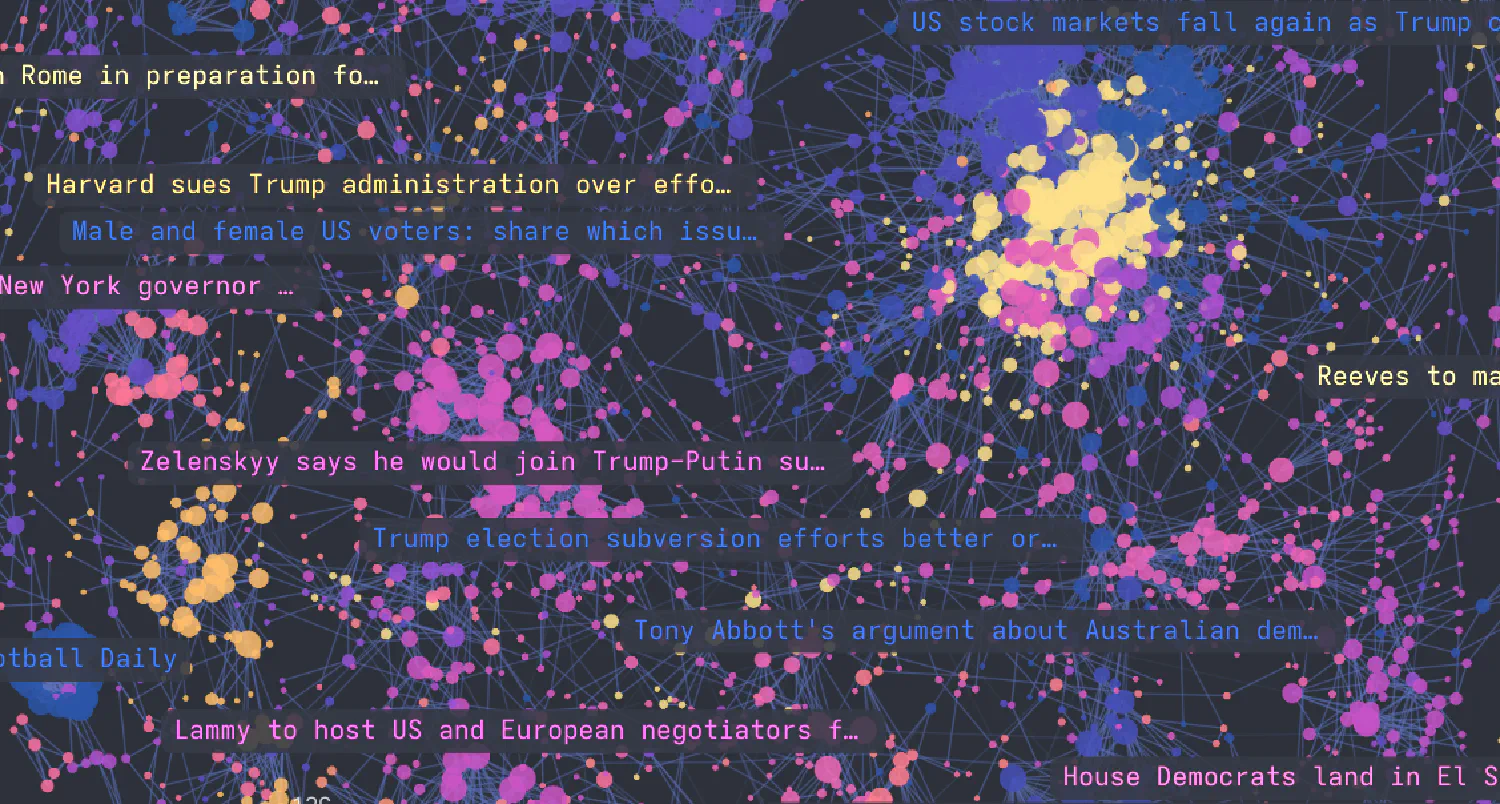
Semnet: Graph structures from embeddings
Semnet constructs graph structures from embeddings, enabling graph-based analysis and operations over embedded documents, images, and more.
Semnet uses Annoy to perform efficient pair-wise distance calculations across all embeddings in the dataset, then constructs NetworkX graphs representing relationships between embeddings.
Use cases
Semnet may be used for:
- Deduplication: remove duplicate records (e.g., “Donald Trump”, “Donald J. Trump) from datasets
- Clustering: find groups of similar documents via community detection algorithms
- Recommendation systems: Account for relationships, and take advantage of graph structures such as communities and paths in search and RAG
- Knowledge graph construction: Build networks of related concepts or entities, as a regular NetworkX graph it’s easy to add additional entities
- Exploratory data analysis and visualisation, Cosmograph works brilliantly for large corpora
Exposing the full NetworkX and Annoy APIs, Semnet offers plenty of opportunity for experimentation depending on your use-case. Check out the examples for inspiration.
Quick Start
from semnet import SemanticNetwork
from sentence_transformers import SentenceTransformer
import networkx as nx

# Your documents
docs = [
    "The cat sat on the mat",
    "A cat was sitting on a mat",
    "The dog ran in the park",
    "I love Python",
    "Python is a great programming language",
]

# Generate embeddings (use any embedding provider)
embedding_model = SentenceTransformer("BAAI/bge-base-en-v1.5")
embeddings = embedding_model.encode(docs)

# Create and configure semantic network
sem = SemanticNetwork(thresh=0.3, verbose=True)  # Larger values give sparser networks

# Build the semantic graph from your embeddings
G = sem.fit_transform(embeddings, labels=docs)

# Analyze the graph
print(f"Nodes: {G.number_of_nodes()}")
print(f"Edges: {G.number_of_edges()}")
print(f"Connected components: {nx.number_connected_components(G)}")

# Find similar document groups
for component in nx.connected_components(G):
    if len(component) > 1:
        similar_docs = [G.nodes[i]["label"] for i in component]
        print(f"Similar documents: {similar_docs}")

# Calculate centrality measures,
# Degree centrality not that interesting in the example, but shown here for demonstration
centrality = nx.degree_centrality(G)
for node, cent_value in centrality.items():
    print(f"Document: {G.nodes[node]['label']}, Degree Centrality: {cent_value:.4f}")
    G.nodes[node]["degree_centrality"] = cent_value

# Export to pandas
nodes_df, edges_df = sem.to_pandas(G)
Installation
pip install semnet
For development:
git clone https://github.com/specialprocedures/semnet.git
cd semnet
pip install -e ".[dev]"
Configuration Options
SemanticNetwork Parameters
- metric: Distance metric for Annoy index (‘angular’, ’euclidean’, etc.) (default: ‘angular’)
- n_trees: Number of trees for Annoy index (more = better accuracy, slower) (default: 10)
- thresh: Similarity threshold (0.0 to 1.0) (default: 0.3)
- top_k: Maximum neighbors to check per document (default: 100)
- verbose: Show progress bars and logging (default: False)
Method Parameters
- fit(embeddings, labels=None, ids=None, node_data=None):
- embeddings are required pre-computed embeddings array with shape (n_docs, embedding_dim)
- labels are optional text labels/documents for the embeddings
- ids are optional custom IDs for the embeddings
- node_data is optional dictionary containing additional data to attach to nodes
- transform(thresh=None, top_k=None): Optional threshold and top_k overrides
- fit_transform(embeddings, labels=None, ids=None, node_data=None, thresh=None, top_k=None): Combined fit and transform
- to_pandas(graph): Export NetworkX graph to pandas DataFrames
Performance Tips
- Use
"angular"metric for cosine similarity (default and recommended) - Increase
n_treesfor better accuracy (try 50-100 for large datasets) - Decrease
top_kif you have memory constraints - Use smaller embedding models for speed:
"all-MiniLM-L6-v2" - Use larger models for accuracy:
"BAAI/bge-large-en-v1.5"
Requirements
- Python 3.8+
- networkx
- annoy
- numpy
- pandas
- tqdm
Project origin and statement on the use of AI
I love network analysis, and have explored embedding-derived semantic networks in the past as an alternative approach to representing, clustering and querying news data.
Whilst using semantic networks for graph analysis on some forthcoming research, I decided to package some of my code for others to use.
I kicked off the project by hand-refactoring my initial code into the class-based structure that forms the core functionality of the current module.
I then used Github Copilot in VSCode to:
- Bootstrap scaffolding, tests, documentation, examples and typing
- Refactor the core methods in the style of the scikit-learn API
- Add additional functionality for convenient analysis of graph structures and to allow the use of custom embeddings.
Roadmap
Semnet is a relatively simple project focused on core graph construction functionality. Potential future additions:
- Better examples showcasing network analysis on large corpora
- Integration with graph visualization tools
- Performance optimizations for very large datasets
License
MIT License
Citation
If you use Semnet in academic work, please cite:
@software{semnet,
  title={Semnet: Semantic Networks from Embeddings},
  author={Ian Goodrich},
  year={2025},
  url={https://github.com/specialprocedures/semnet}
}